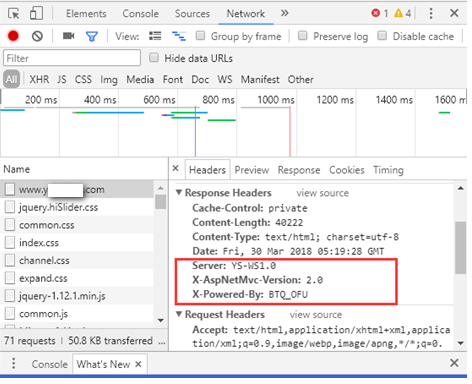
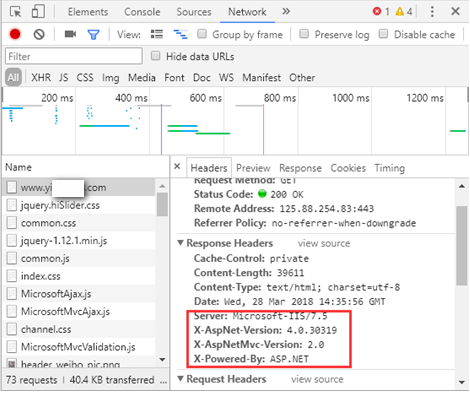
Typically we have 3 response headers which many people want to remove for security reason.
• Server – Specifies web server version.
• X-Powered-By – Indicates that the website is “powered by ASP.NET.”
• X-AspNet-Version – Specifies the version of ASP.NET used.
Before configuration:
Server Header
Open the site on which you would like to remove the Server header and click on the URLRewrite section.
Click on the “View Server Variables” in the Actions pane in the right hand side.
Click on the Add button and then enter “RESPONSE_SERVER” in the textbox provided.
Create an Outbound rule as the following.
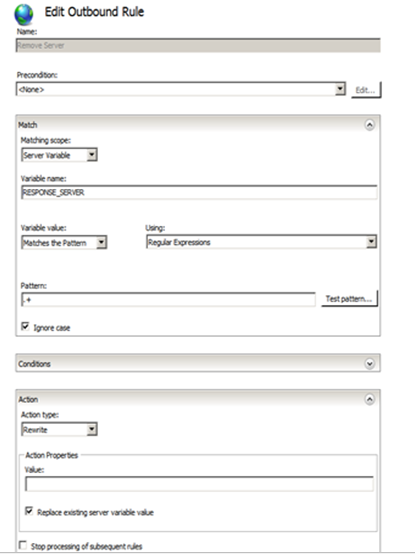
Example:

Please note that this is a website-specific rule. If you want to create the rule for all of your applications, create the rule at the server level. Also, some applications, especially third party applications, may require the Server header, so you may need to remove this rule for those applications.
X-Powered-By
Open the site on which you would like to remove the X-Powered-By header and Click on the URLRewrite section.
Click on the “View Server Variables” in the Actions pane in the right hand side.
Click on the Add button and then enter “RESPONSE_X-POWERED-BY” in the textbox provided.
Create an Outbound rule as the following
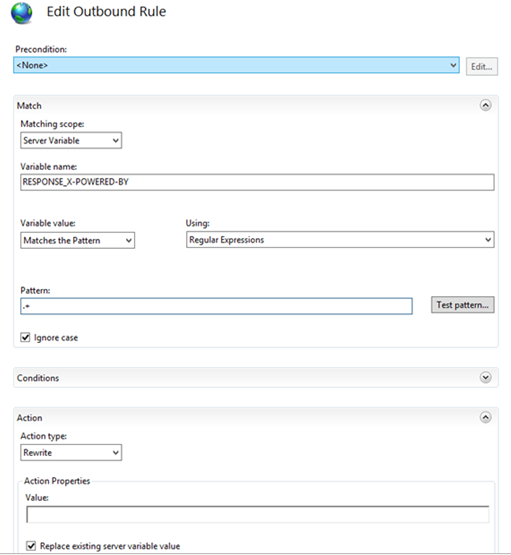
Example:

Please note that this is a website-specific rule. If you want to create the rule for all of your applications, create the rule at the server level. Also, some applications, especially third party applications, may require the x-powered-by header, so you may need to remove this rule for those applications.
X-AspNet-Version
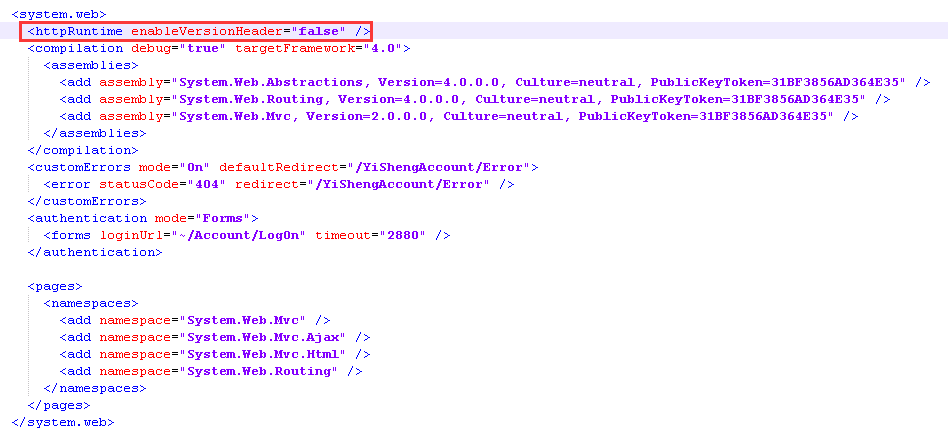
Using the httpRuntime element.
Add the following line in your web.config in the <system. Web> section
<httpRuntime enableVersionHeader=”false” />
Example:
After configuration: