1 dig命令:
# dig -help
Usage: dig [@global-server] [domain] [q-type] [q-class] {q-opt}
{global-d-opt} host [@local-server] {local-d-opt}
[ host [@local-server] {local-d-opt} […]]
Where: domain is in the Domain Name System
q-class is one of (in,hs,ch,…) [default: in]
q-type is one of (a,any,mx,ns,soa,hinfo,axfr,txt,…) [default:a]
(Use ixfr=version for type ixfr)
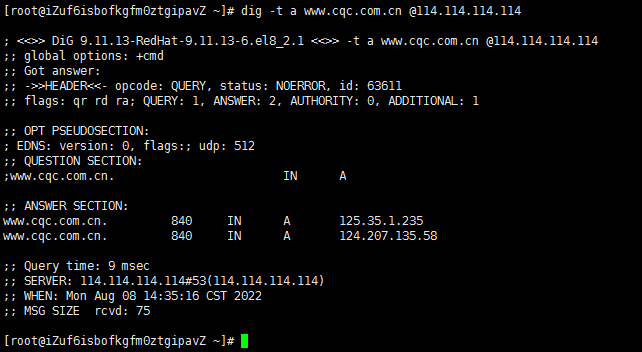
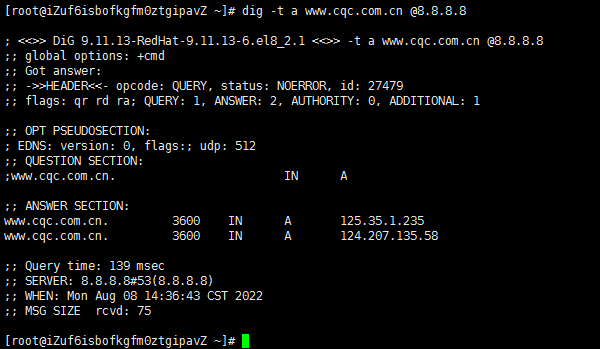
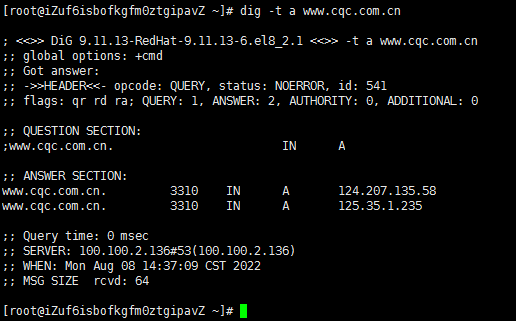
# dig -t a www.cqc.com.cn @DNS地址 //查询A记录,省略@DNS地址的话使用服务器配置的dns
# dig -t a www.cqc.com.cn +trace //跟踪解析过程
2 host命令:
# host -help
host: illegal option — h
Usage: host [-aCdilrTvVw] [-c class] [-N ndots] [-t type] [-W time]
[-R number] [-m flag] hostname [server]
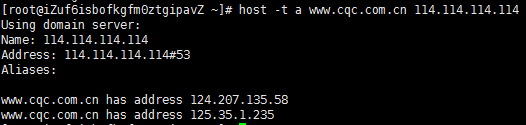
# host -t a www.cqc.com.cn 114.114.114.114 //查询A记录,省略@DNS地址的话使用服务器配置的dns
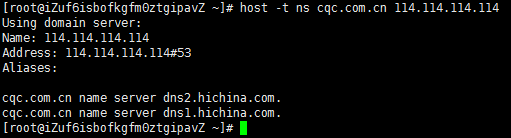
# host -t ns cqc.com.cn 114.114.114.114 //查询ns记录,省略@DNS地址的话使用服务器配置的dns
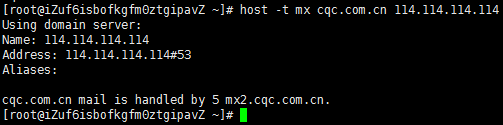
# host -t mx cqc.com.cn 114.114.114.114 //查询mx记录,省略@DNS地址的话使用服务器配置的dns
3 nslookup命令:
nslookup [-option] [name | -] [server]
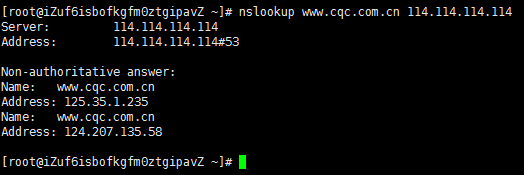
nslookup www.cqc.com.cn 114.114.114.114 //查询ns记录,省略@DNS地址的话使用服务器配置的dns